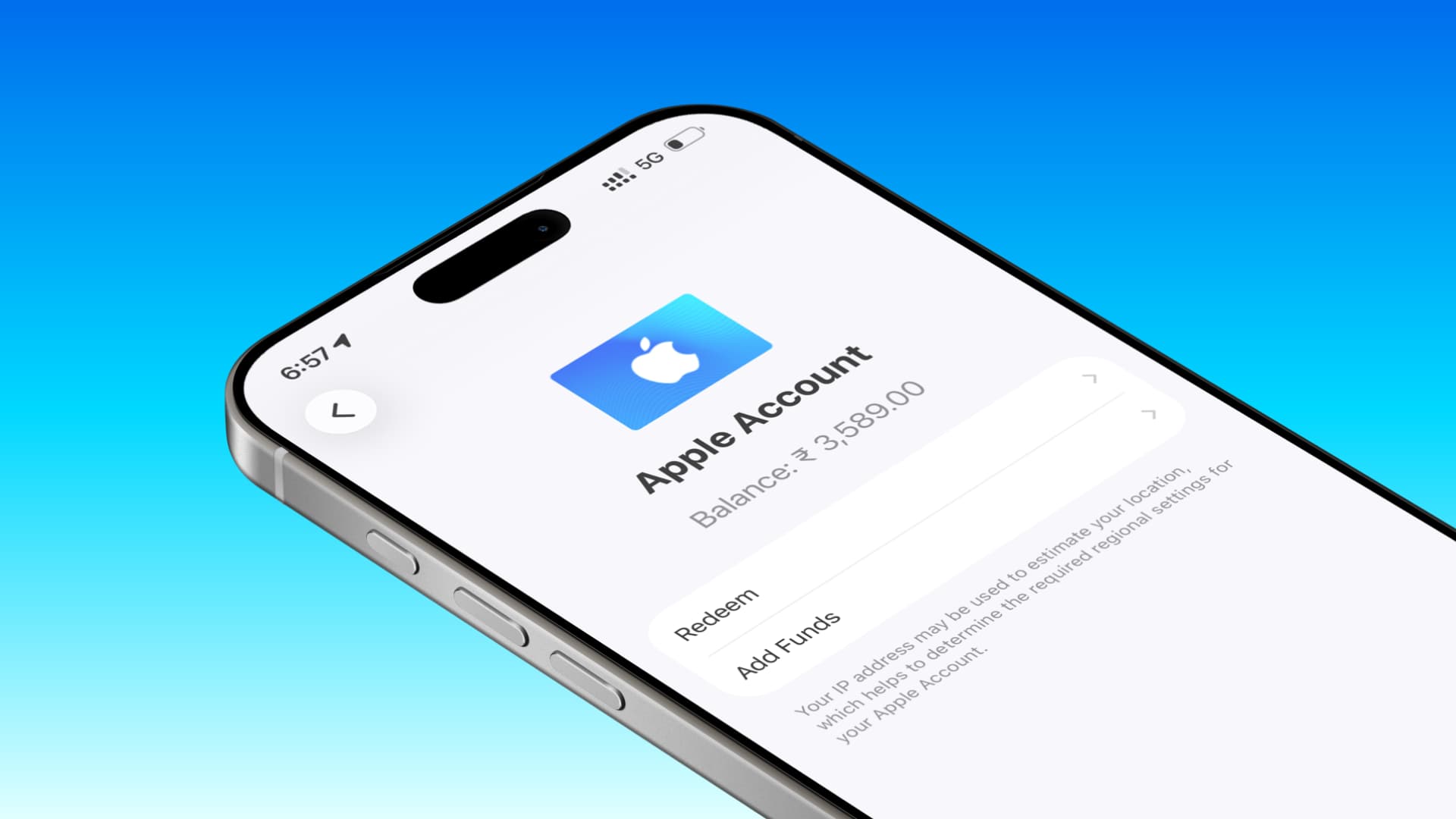
Apple requires you to spend your Apple Account balance; this way, you can change your Apple Account App Store region to another country. In this guide, we will provide more information on this topic.
Let’s start with the basics.
When you create an Apple Account, you are asked to select a country and add an address. For most people, this is the country they reside in.
Adding your actual country allows you to download local apps that are only available in your country (and not available globally). Secondly, having the correct country provides many advantages such as correct currency transactions, balance top-ups, offers, recommendations, and most downloaded apps.
If you have permanently moved to another country or are planning a long-term trip, you may want to transfer your App Store country to the new country. This ensures that you receive all the advantages of selecting the correct country for your App Store account while also being valid in your new country.
The process of changing your App Store country or region is straightforward, but you must not have any remaining balance in your Apple Account, have canceled subscriptions that do not allow country changes, and meet a few other requirements.
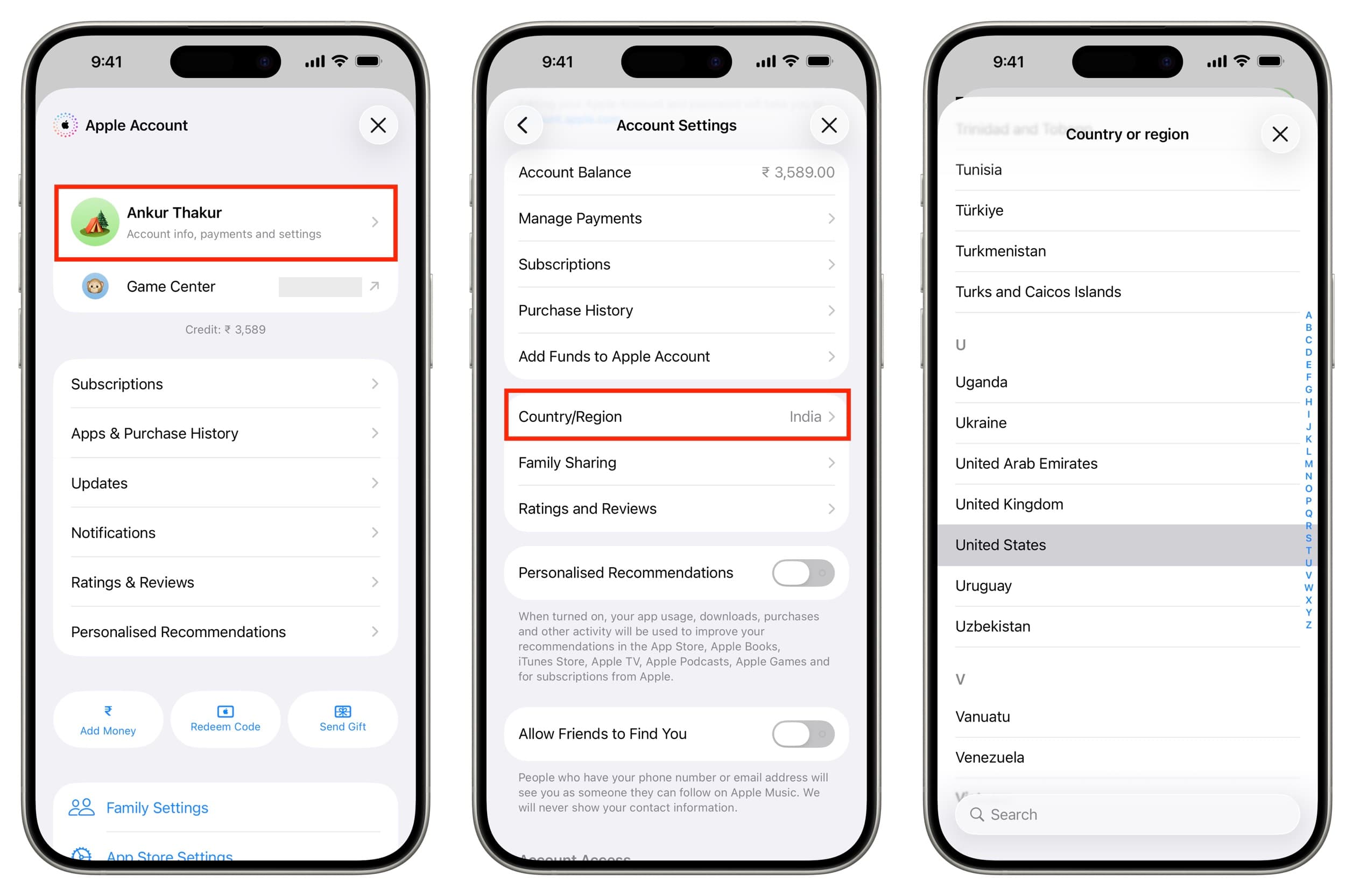
To change your App Store country:
- Open the iOS App Store.
- Tap on your profile picture at the top.
- Tap on Account Information and enter your Apple Account password.
- Tap on Country/Region.
- Select another country, enter an address and phone number, and confirm.
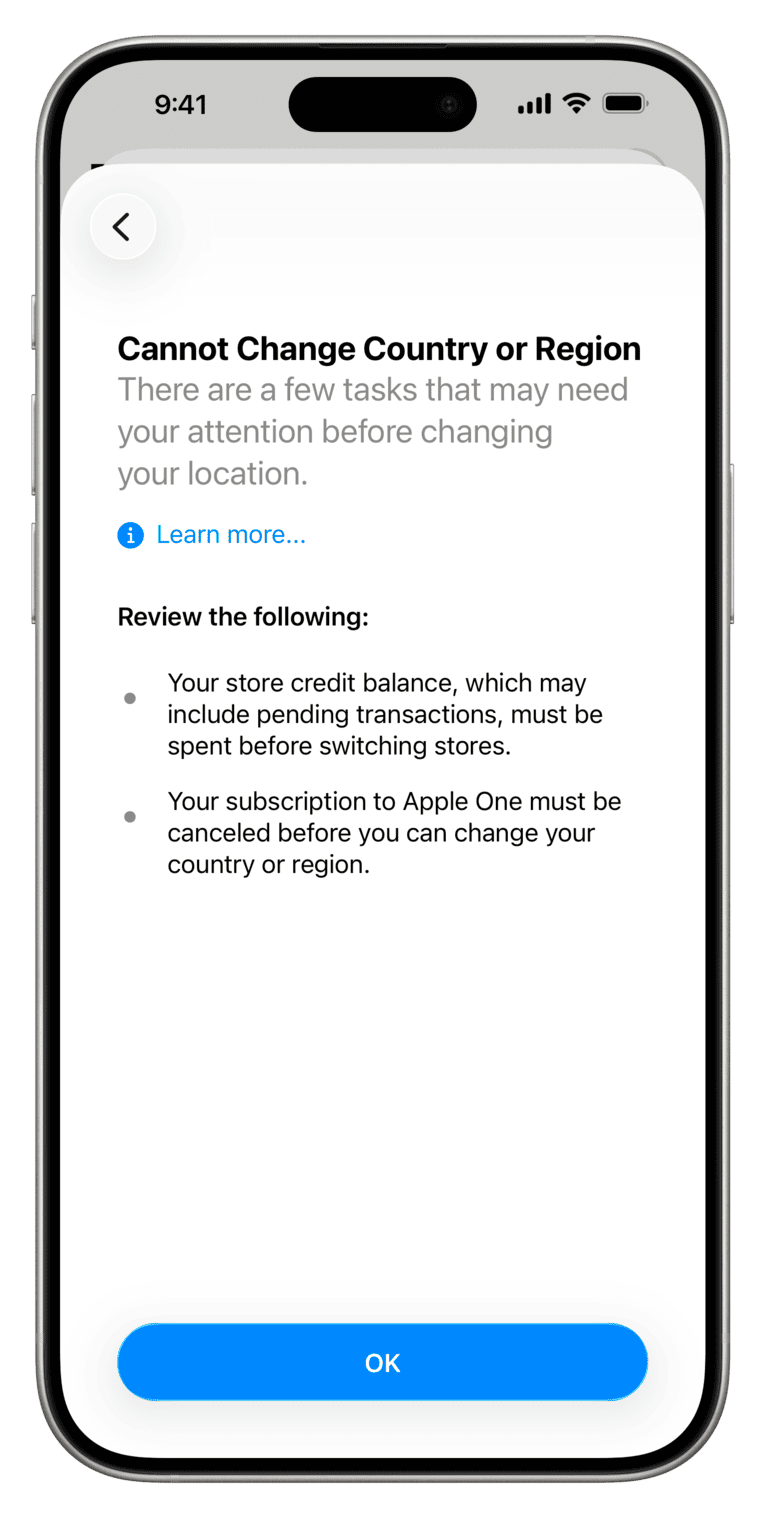
However, if you have a store credit balance (Apple Account balance), you will need to spend that amount first.
Consider requesting a cash refund from Apple before spending your account balance
In certain jurisdictions, Apple is obligated to refund your account balance upon request. You can contact Apple Support and provide them with the following information:
- Your Apple Account email address
- The refund amount (specify an exact figure)
- Your current delivery address
If a refund to the original payment method or check is not possible, your only option is to use your balance to purchase something from Apple.
How can you spend your Apple Account balance before changing the App Store country?
The answer is quite clear: you need to spend it by purchasing apps, app updates, songs, ringtones, movies, TV shows, and books.
Purchase an app
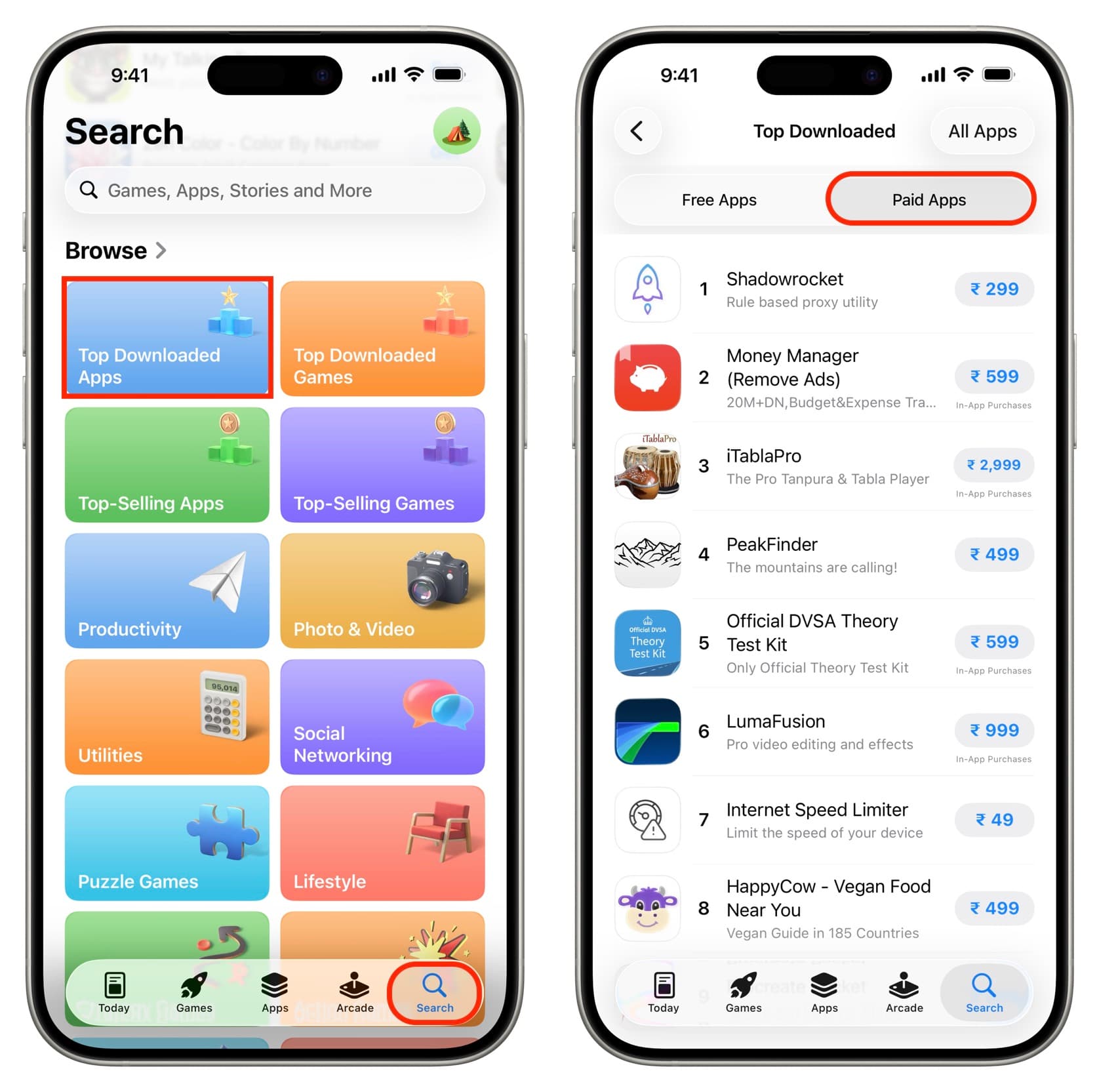
Use your Apple Account credits to purchase paid apps for iPhone, iPad, Mac, Apple Watch, or Vision Pro.
- Open the App Store and tap on Search.
- Tap on Top Charts.
- Go to the Paid Apps tab.
- See which apps are useful and purchase them.
Update apps
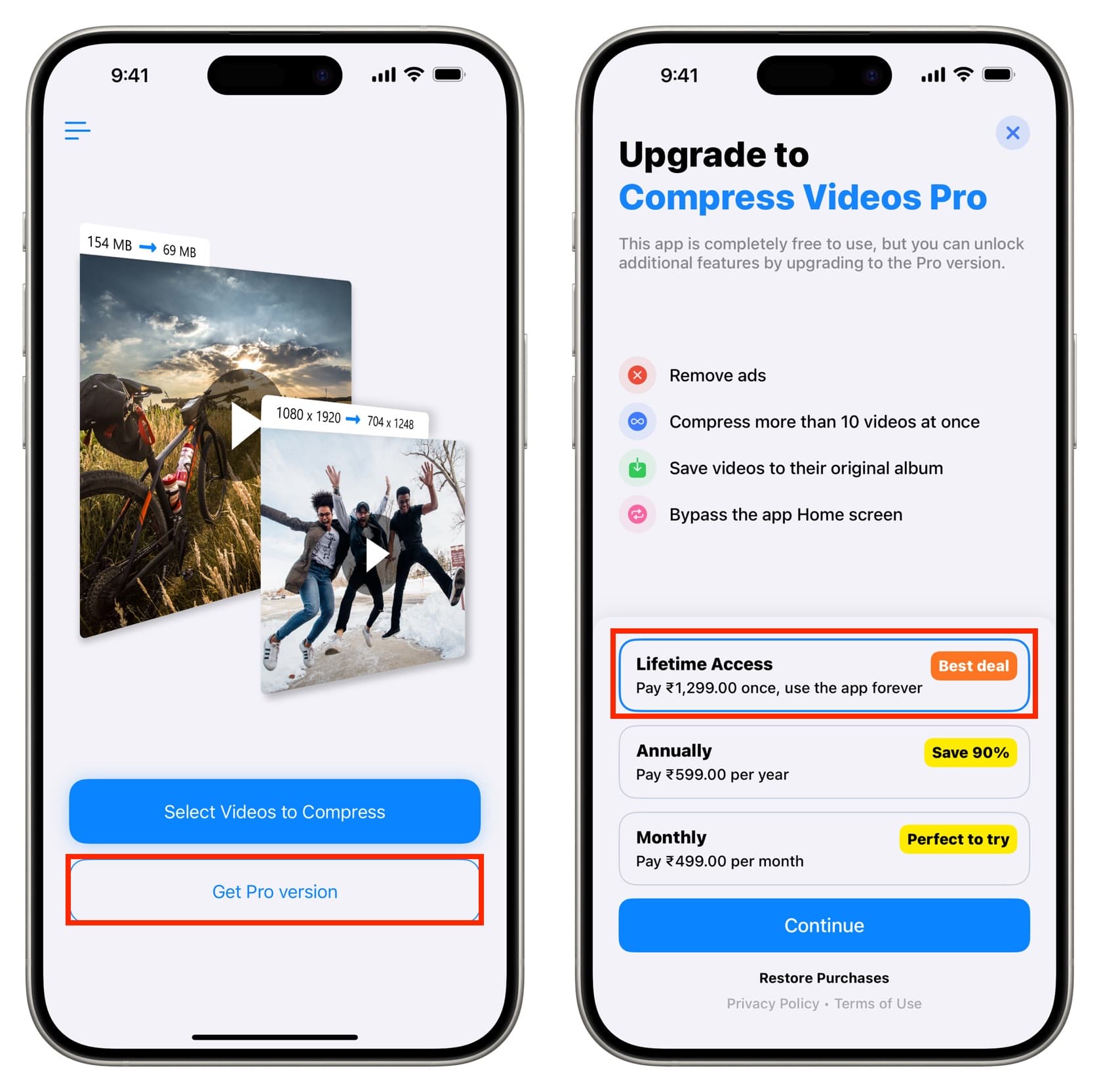
You can also purchase one-time/lifetime updates for free apps you have been using for a long time. Be careful not to purchase recurring weekly, monthly, or yearly subscriptions.
- Open the app in question.
- Tap on the option to upgrade to the Pro version. If you don’t see it, go to its settings.
- Select the one-time or lifetime option and complete the purchase.
Purchase songs or ringtones
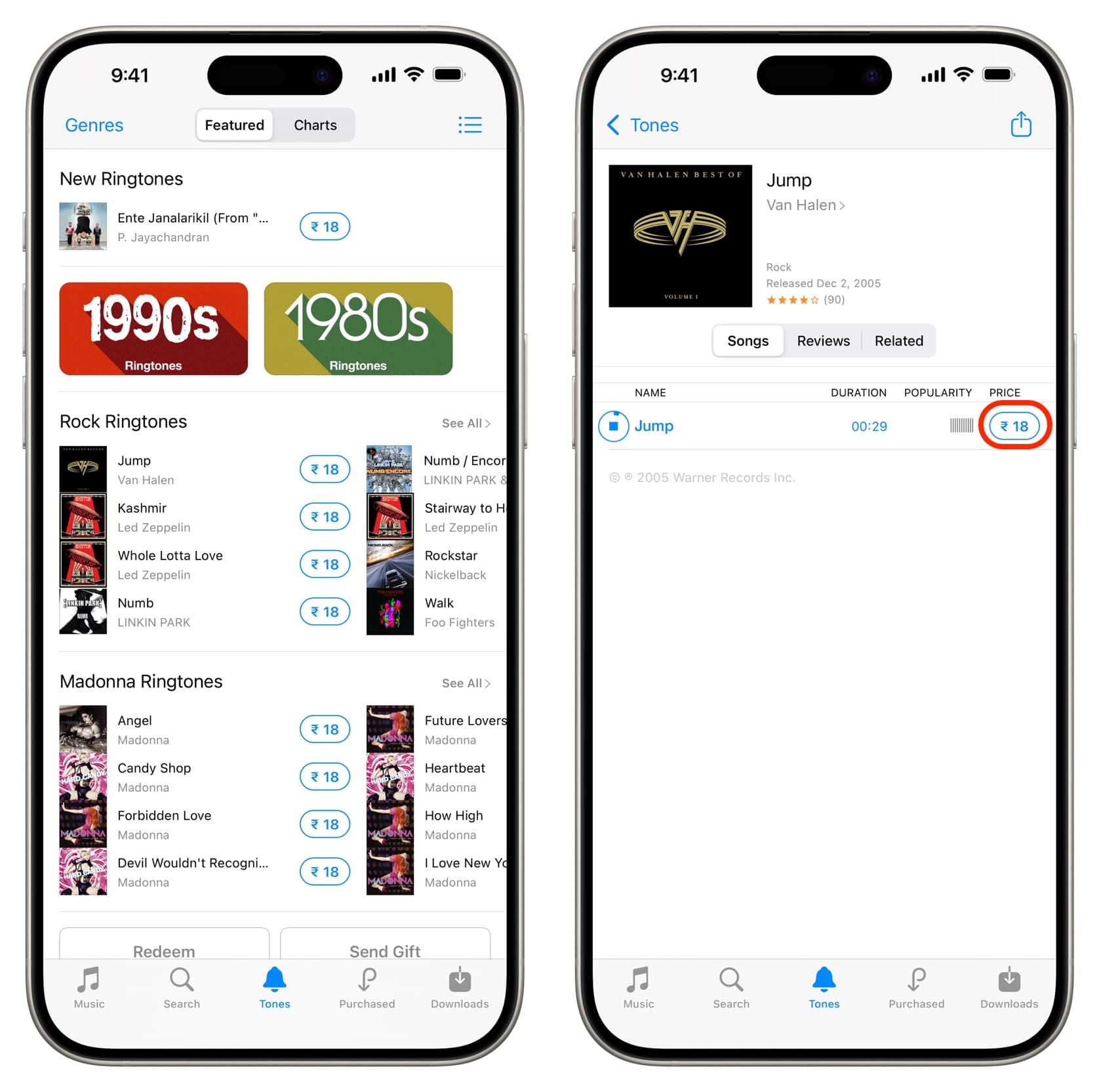
In addition to apps, you can also use your remaining account balance to purchase songs from the iTunes Store. You can listen to the songs you purchase even if you do not have an Apple Music subscription. Additionally, these songs are not DRM protected, so you can use them in your photo slideshow, or turn part of it into a ringtone. You can also check out some premium ringtones for iPhone and iPad.
- Open the iTunes Store app.
- Use the Music or Ringtones tabs to find and preview these products.
- Then, tap on the price icon to purchase. Important: Do not pre-order an album that has not yet been released; otherwise, you will need to cancel the order or remain in the same country until the album is released.
Purchase movies or TV shows
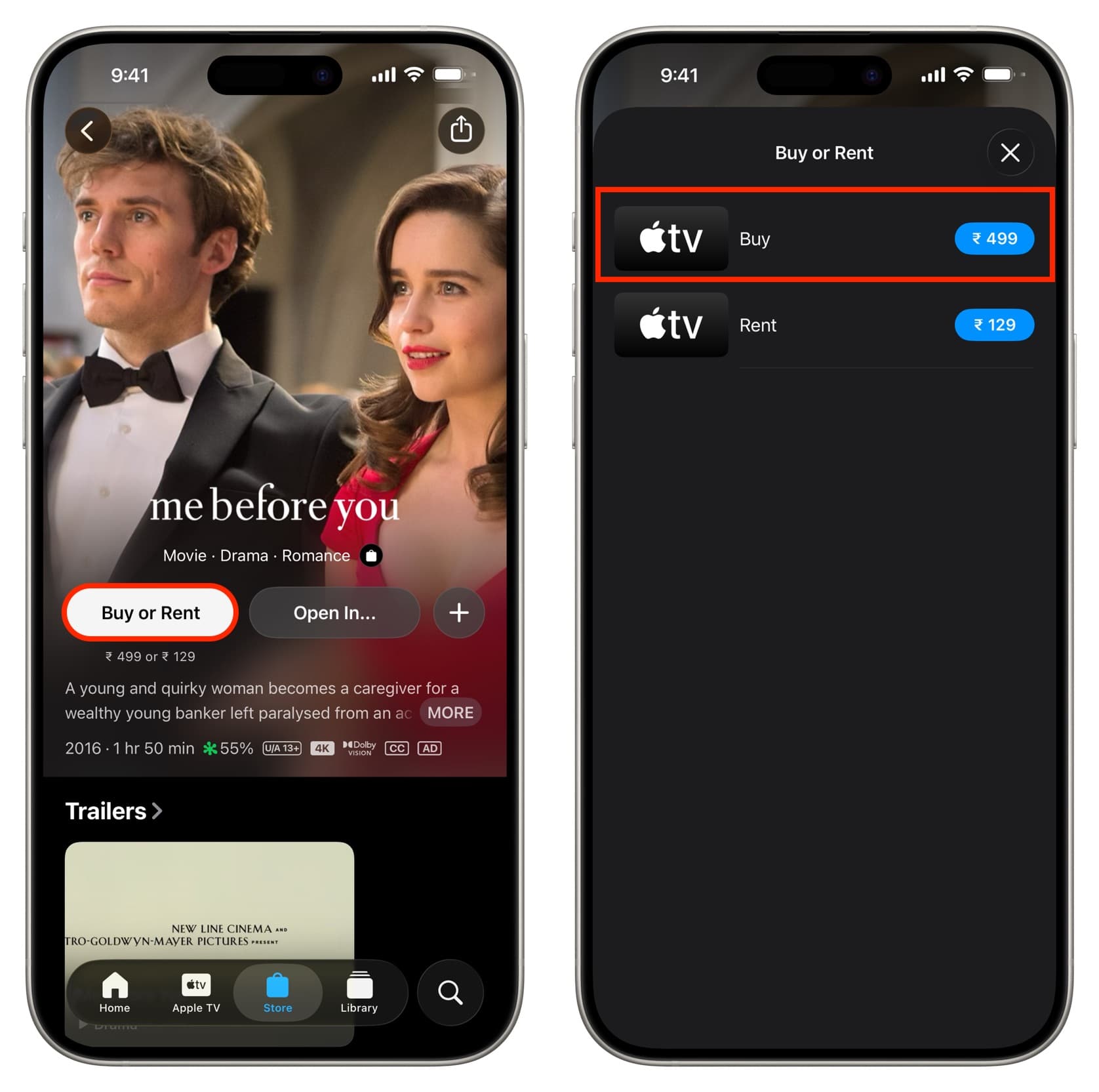
Just like with music purchases, you can spend your Apple Account balance by purchasing movie titles and TV shows from Apple. After purchasing, you can watch them even if you do not have a streaming subscription.
- Open the TV app and go to the Store tab.
- Find a title and then tap on the Buy or Rent button.
- Now, tap on the price next to Buy and complete the purchase. Important: Do not rent the video.
Purchase books
To purchase books and audiobooks, go to the Apple Books app and tap on the Book Store. Note: Paid titles are not available in every country.
If you still have a small amount left
Once you have spent all your credits, you are ready to change your App Store country (if you have canceled your active subscriptions and met the other requirements).
However, if you still have less than the cost of a single product remaining, contact Apple Support; they will assist you.
Another option is to find a low-cost app, song, or ringtone close to your remaining balance, add the difference, and purchase to bring your Apple Account balance down to zero.
Create a new Apple Account
If you cannot get a refund from Apple and do not want to spend your Apple Account balance, consider creating a new Apple Account for the new country. Then, you can stop using your old Apple ID for App Store, Apple Music, Apple TV, and other Apple services by following the path iPhone Settings > Apple ID > Media & Purchases > Sign Out. After that, log in with your new account.
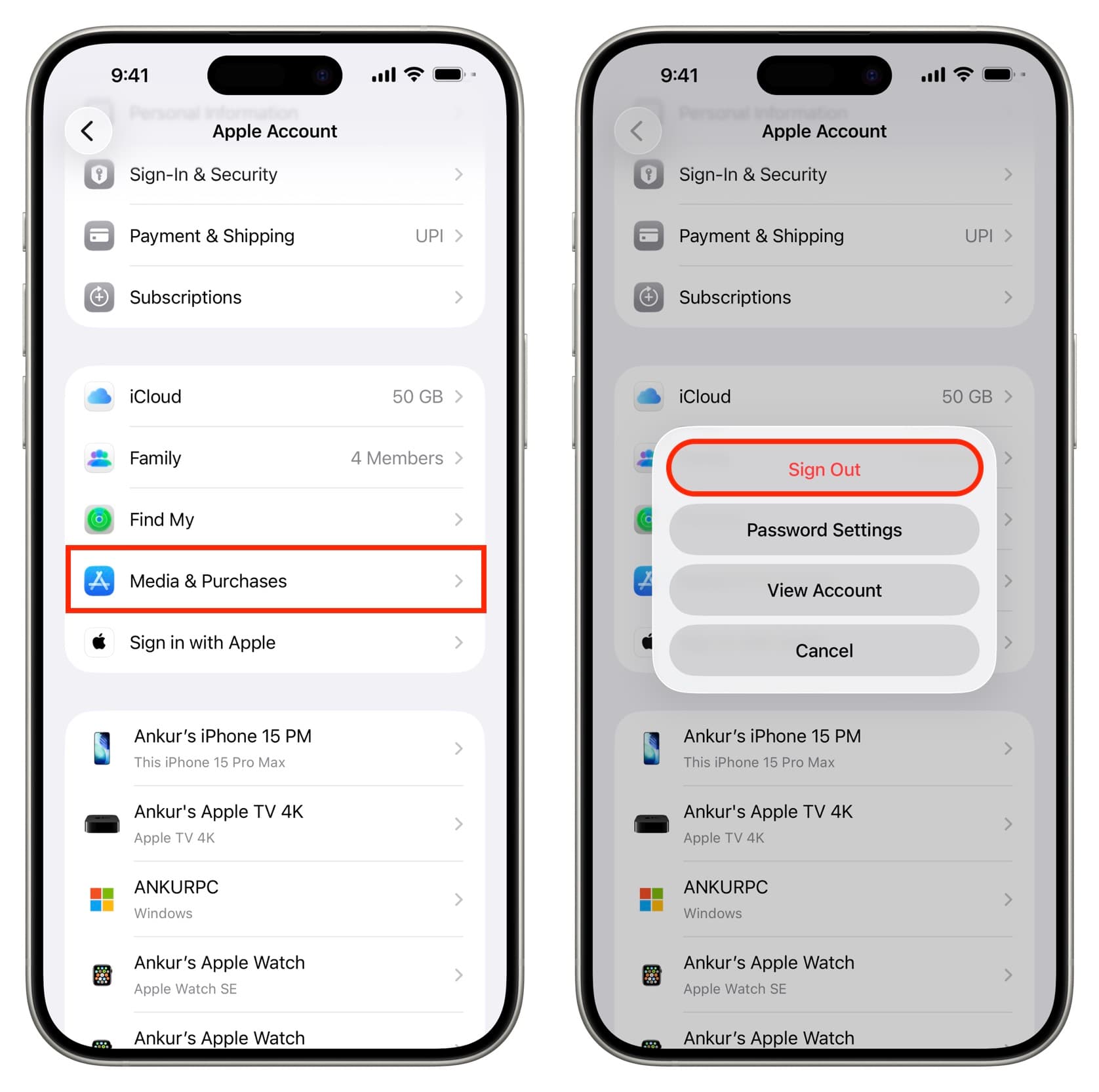
Note:
- Apps downloaded from your old Apple Account may not be updated after signing in with another Apple Account. You will need to log in with the original account or delete and reinstall the app with the new account.
- You cannot restore in-app purchases after using a different Apple Account.
With that note: How can you download an iPhone app that is not available in your country?

Comments
(4 Comments)